Enhancing Your Gaming Experience in The Witcher, Skyrim, GTA5, Sims 4, and Cities Skyline
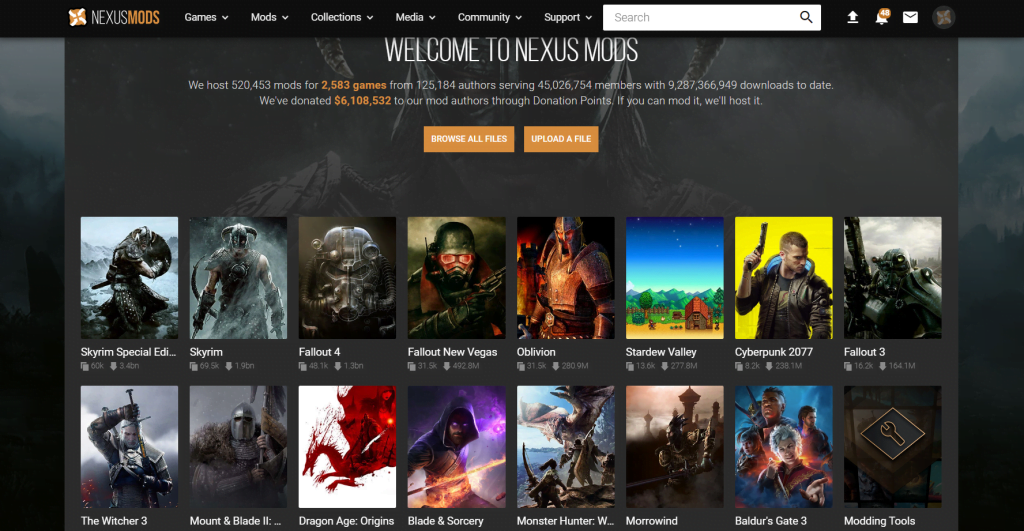
Welcome to the world of game modding! Nexus Mods has become a central hub for gamers looking to enhance, personalize, and expand their gaming experiences. In this article, we’ll dive into some of the most popular mods for five iconic games: The Witcher, Skyrim, GTA5, Sims 4, and Cities Skyline. These mods not only add new dimensions to gameplay but also showcase the creativity and dedication of the gaming community.
The Witcher Series: A Fantasy World Reimagined
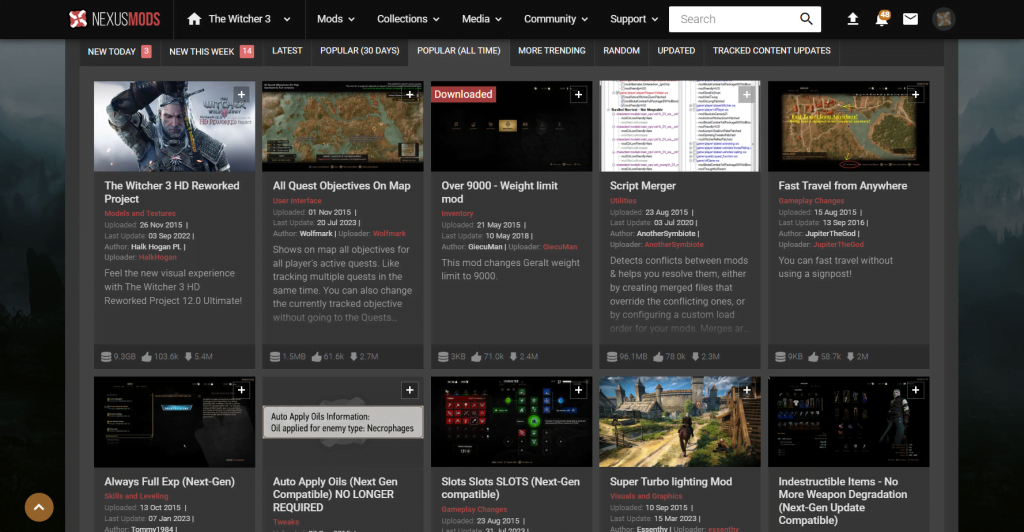
The Witcher series, known for its deep narrative and immersive world, benefits greatly from mods that enhance visual fidelity, gameplay mechanics, and storytelling.
Top Mods:
- HD Reworked Project: This mod revamps the game’s graphics, giving it ultra-high-definition textures, sharper and more detailed environments, and more realistic characters.
- Friendly HUD: Provides a more customizable HUD, allowing players to experience a more immersive and less cluttered interface.
- Ghost Mode: Aims to improve the game’s balance, fixing bugs and tweaking gameplay elements for a more challenging and rewarding experience.
Skyrim: A Canvas for Creativity
Skyrim’s modding community is arguably one of the most active, transforming the game into anything from a graphic masterpiece to a completely new adventure.
Top Mods:
- SkyUI: Enhances Skyrim’s user interface, making it more intuitive and PC-friendly.
- Falskaar: A massive mod that adds a new landmass with 20+ hours of gameplay, including new quests, areas, and music.
- ENB Series: Improves the game’s graphics significantly, adding better lighting, effects, and overall visual appeal.
GTA5: Beyond the City of Los Santos
GTA5’s open world is a perfect playground for modders, introducing new elements that range from the realistic to the utterly bizarre.
Top Mods:
- LSPD First Response: This allows you to play as a police officer, adding a whole new perspective to the game.
- NaturalVision Remastered: Overhauls the game’s weather system, lighting, and environmental textures for a more lifelike Los Santos.
- Iron Man Mod: Brings a touch of superhero fun, allowing players to roam the city as Iron Man, complete with all his abilities.
Sims 4: A Life Less Ordinary
The Sims 4 is renowned for its modding community that brings new levels of depth and quirkiness to the game.
Top Mods:
- MC Command Center: Adds depth to your Sims’ lives, allowing for story progression, character modifications, and much more.
- WickedWhims: Introduces more adult themes, including realistic relationships and interactions.
- BuildBuyMode Unlocker: Unlock all building items and decorations, providing unlimited creative potential.
Cities Skyline: Urban Planner’s Dream
Cities Skyline thrives on its modding community, offering tools and additions to build the city of your dreams.
Top Mods:
- Traffic Manager: President Edition: Offers detailed traffic management tools and AI improvements.
- Network Extensions 2: Adds new types of roads, bridges, and more, allowing for more complex city planning.
- Dynamic Resolution: Improves the game’s graphical fidelity, making your city look more stunning than ever.
Modding can breathe new life into games, bringing fresh experiences even to titles you thought you knew inside out. The creativity and passion of the modding community are limitless, and their contributions are a testament to the vibrant and evolving nature of modern gaming. Whether you’re a veteran modder or new to the scene, these mods for The Witcher, Skyrim, GTA5, Sims 4, and Cities Skyline offer something for everyone, promising to enhance your gaming experience in ways you never imagined.
Happy modding!
Read more about Epic Games Store weekly free game giveaways
FAQ
Create an Account: Sign up for a free account on the Nexus Mods website.
Download Nexus Mod Manager (NMM): This tool simplifies the installation process for many games.
Find and Download Mods: Search for mods for your game and download them.
Install with NMM: Use Nexus Mod Manager to install the mods you’ve downloaded.
Note: Some mods may require manual installation. Always read the mod’s installation instructions.
Generally, mods on Nexus are safe. However, as with any third-party content, there’s always a risk. Always read user reviews and comments, and ensure you have a backup of your game files before installing any mods.
Yes, mods can affect game performance. High-resolution texture packs or extensive gameplay modifications can increase the load on your system. It’s crucial to understand the requirements of each mod and assess if your system can handle them.
It depends on the game. Some games, like GTA5, have strict policies against modding in online play which could result in a ban. Always check the game’s modding policy, especially for online play.
Absolutely! Nexus Mods encourages user-generated content. They provide resources and forums to help aspiring modders get started. However, creating mods requires some technical know-how and an understanding of the game’s underlying mechanics.